
Architect
Find a new perspective for your project.
Show your project. Meet people who can contribute.
The professional network that shows the connections between you and the people you want to meet.
Android Beta available now
Nodes puts you at the centre of your network. See your connections and discover who you can reach through them.
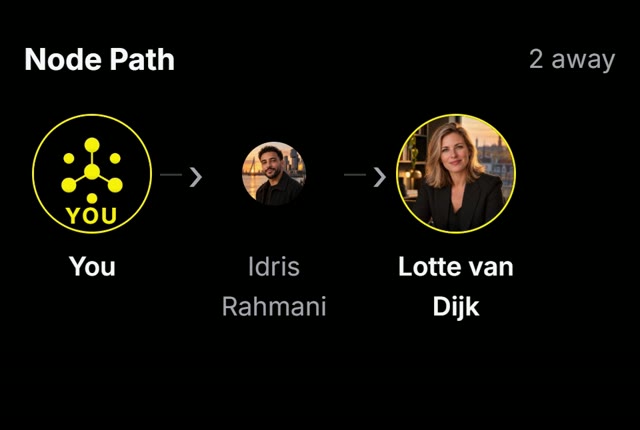
Explore Node Path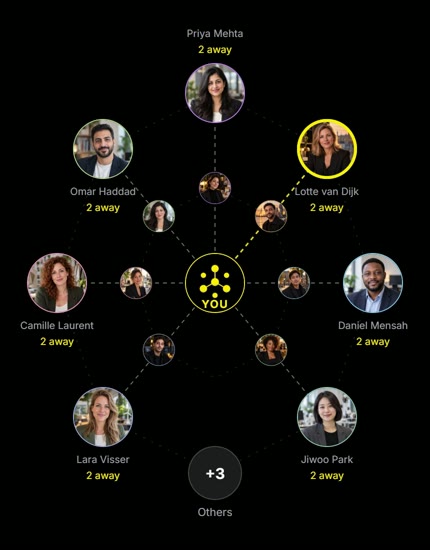
Node Path reveals the people between you and someone you want to meet. In this example, Idris connects you to Lotte.
Share your work. Respond to projects through Engage. Continue the conversation in direct messages.
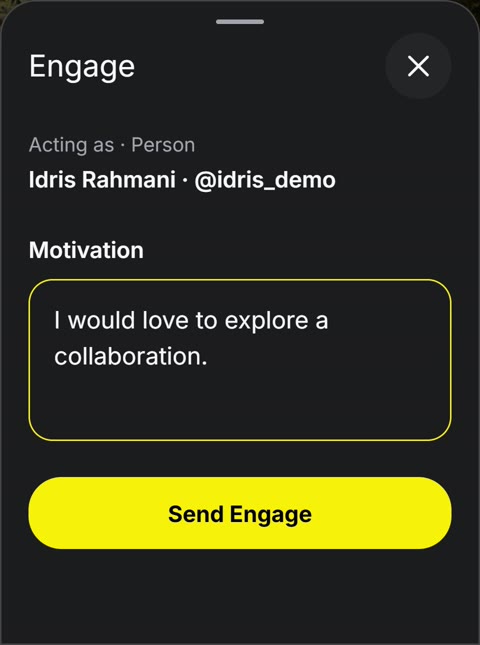
Illustrative NODE product demos with fictional people and content. Screens may differ from the current Beta.
For people who want to move their work forward together. Whatever your profession.
Find a new perspective for your project.
Show your project. Meet people who can contribute.

Share knowledge that starts a conversation.
Share your insights. Get to know people in your field.

Build the relationships behind your business.
Meet through shared connections. Explore a common ambition.
Illustrative scenes, created for NODE.
Follow Mila as she discovers who connects her, shares her work and starts new conversations.
Press play to explore NODE.
You decide who sees your profile details, relationship information and network reach: everyone, your connections or only you.
Control what you share, and with whom.
Your public name, username and verification status remain discoverable.
Example: only your connections can see this information.
Illustrative example. This does not change your account settings.
NODE is a social media platform for professionals. Share your work, make connections and discover opportunities to collaborate.
For professionals and entrepreneurs who want to share their expertise and build their network. NODE also supports company profiles.
Start with your own connections. Nodes shows who you can reach through them, while Node Path shows the shared connection between you and someone else.
Following lets you keep up with someone’s posts. A connection is mutual: both people accept it. Connections form the routes in your network.
NODE checks for updates automatically. When an update is available, a message appears in the app. Tap “Update now” to download it and restart NODE with the latest changes.
The Android Beta is ready to try. Download the app, or leave your email for updates about Beta access.
App Store & Google Play — coming soon.
No APK needed. On iPhone, use Safari’s Share menu to add NODE to your Home Screen.
58 MB compressed download · Android APK
NODE checks for updates automatically. When an update is available, a message appears in the app. Tap “Update now” to download it and restart NODE with the latest changes.
Prefer an email about Beta access?
Only updates about your Beta access. No newsletter. We never sell your data.
Your privacy